TG - Organisation Functionality

Written by Matthew Clark-Massera
Updated at February 15th, 2024
Table of Contents
- This article list all the functionalities available in TG and their uses.
- Most functionality is enabled by default on a new partner account.
- New features/functionality is generally not automatically added to all organisations upon release. Please contact DM Support to enable functionality if you cannot view it.
- Partners may wish to disable unused functionality on customer organisations in order to simplify the user interface - leaving only what is required for ease of use.
Users will need permissions enabled on the user account to be able to use certain functionalities.
Example in the case of the Live Tracking Functionality, and Live View User Permission.
| Organisation Functionality | User Permission | Result for this user |
| Live Tracking Enabled | Live View Enabled | The user can see the live view in this org |
| Live Tracking Enabled | Live View Disabled | The user can not see the live view in this org |
| Live Tracking Disabled | Live View Enabled/Disabled | No users in this org will see the live view since it is disabled for the organisation. |
List of Functions
| Functionality | Description |
| Alerts and Notifications | See Alerts in TG Enables the org to use email or SMS alert or notifications The "Alerts" menu is visible 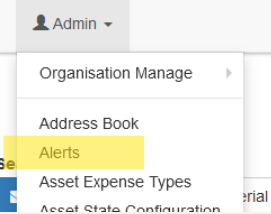
|
| Asset Daily Coverage | Shows a days worth of trips for an asset, multiple assets in a single map. Can be accessed from History → Asset Daily Coverage Map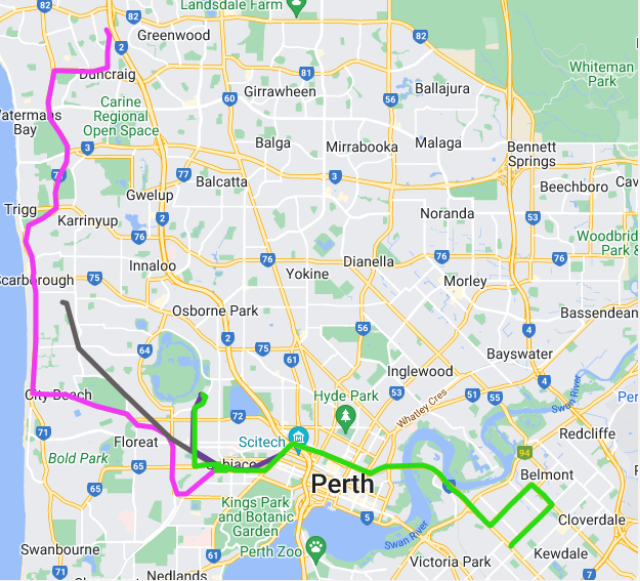
|
| Asset Health | Enables Asset Health Tracking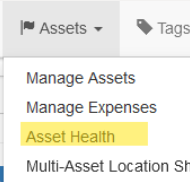
|
| Asset Location Sharing | Enables Asset Location Sharing Share a temporary link to an asset. |
| Asset State | Enables Asset State Configuration This is used to change the colour of the icons on the live view based on certain input combinations. E.g. change to a specific colour if in Trip and digital input 1 = on 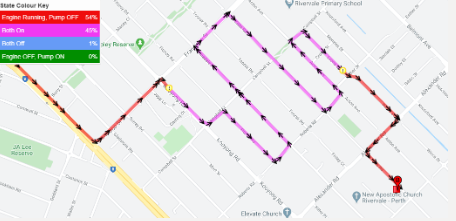
|
| Billing | Allows Billing rates (km and hourly) to be set against assets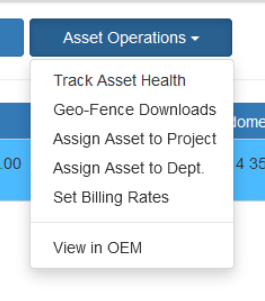 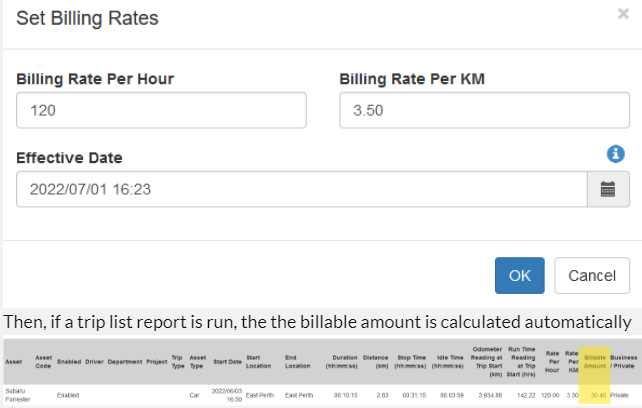 Then, if a trip list report is run, the the billable amount is calculated automatically 
|
| Business/Private Trips | Trips can as business/private trips through the Manage Trips option or through the TG app. TG App - Managing Trips and Logbooking |
| Cell Tower Data | Some devices can be configured for Cell Tower Fallback If this functionality is enabled the Cell Data is displayed in the telemetry view. |
| Checklists | Enables Pre Start Checklists. |
| Default Trips to Business | All trips are categorised as Private, by default. TG App - Managing Trips and Logbooking |
| Departments | Enables Departments (to allow assets to be grouped) |
| Destination Dispatch | Enables Destination Dispatching - which lets managers dispatch drivers to specific locations |
| Disable Asset Grid Paging |
The Manage Assets grid is paginated in order to improve performance for organisations with large numbers of assets.  The pagination can be disabled by turning on this functionality. |
| Disallow None Trip Types | Forces a trip type selection in Manage Trips |
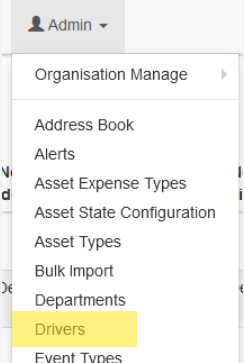
| Driver ID |
Enables the Drivers menu
|
| Duress | Allows to create duress events and to signal duress on the live view based on events. Alert on Live View/Signal Duress - Telematics Guru |
| Idle Time | Enables idle time calculations. Idle Monitoring - Dart3 |
| Intra Trip Odometer Display on Trip History | Shows the odometer value when hovering over a point on the Trip History Map View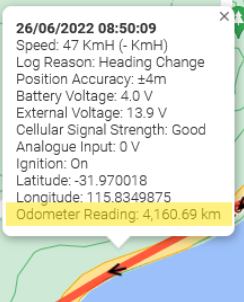
|
| Iridium | Allows to capture iridium data for supported devices G120 Iridium Set Up and Operation |
| Live Tracking | Enables the Live Tracking View. Plots all assets from an org in the Map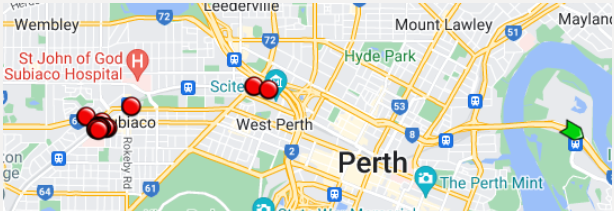
|
| Local Speed | Allows to see the speed of the road/street the asset is on. This requires the asset to be on TG-Pro billing plan. Speed Monitoring in Telematics Guru |
| Map Overlays | Enables Custom Map Overlays in TG Overlays can be used to overlay mine site/farm overlay data - or provide more up to date aerial imagery (Google Maps can take years to update some locations) |
| Multi Asset Location Sharing |
Allows to share the live location of multiple assets. |
| Point History | Enables the Point History Map View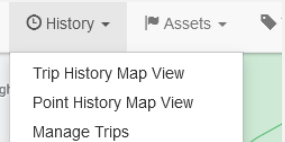 Assets configured as "Non Trip Based" appear on this map 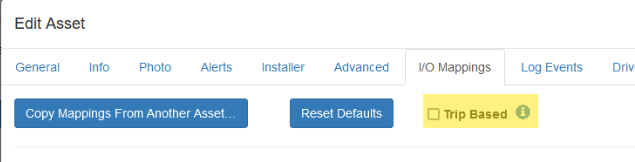
|
| Points of Interest | Allows points to be added to the live view. The asset closest to a particular point can be returned. Or point closest to an asset. For easy navigation and management. 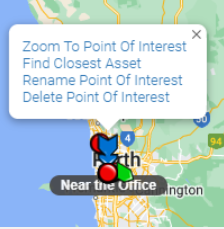 Points of Interest and Distance Order Markers Points of Interest and Distance Order Markers
|
| Projects | Projects can be used to group assets and geofences. Typically, assets are assigned to projects, and user accounts can be given access to only view/manage a specific project or projects. Extended functionality: Telematics Guru - Update Asset Project From Destination Geofences |
| Scheduled Maintenance Report |
Scheduled Maintenance Reminders (SMR) Allows to create a maintenance schedule on a specific day, based on odometer/run hours or based on secondary run hours |
| Scheduled Reports | Allows to schedule reports on a daily, weekly, monthly or preferred day basis: Schedule the Devices Not Connecting Report |
| Secondary Run Hours | Allows to capture secondary run hours for assets. See Setting up Secondary Run Hours |
| Show Asset Coordinates | The Lat/Long is displayed on the live view (web and app) if enabled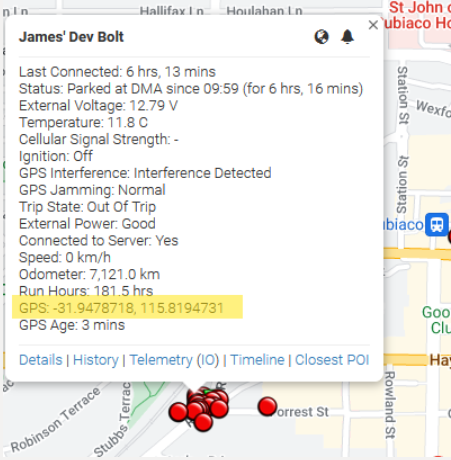
|
| Show Driver Name on Live Tracking | Shows currently assigned driver in the live view and trip history view |
| Tags | Enables Tag Functionality - Tags in Telematics Guru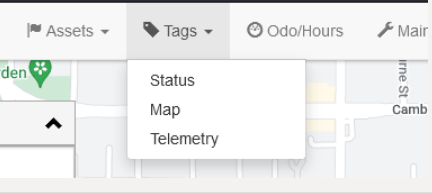
|
| Telemetry | Enables the telemetry view. This view is very useful for debugging - but may not be of any relevance to most users.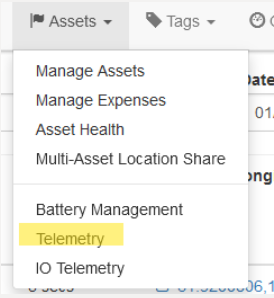
|
| Time and Attendance | Allows to capture shift Log On/Log Off. Checklist can be used to capture time and attendance which is later approved by managers/supervisors for time sheets. Time and Attendance in Telematics Guru |
| Time and Attendance Variable Shifts | Allows the shift start time to be adjusted - as overnight shifts may run 8pm -> 8am for example
|
| Trip Comment | Allows to add trip comments either through the Manage trips option or through the TG app. TG App - Managing Trips and Logbooking |
| Trip History View | Allows to the trips an asset has done in a single day. Telematics Guru - History Views |
| Trip Types | Allows for Trip Types under manage trips. (Deprecated feature) |