Speed Monitoring on the Remora3

Written by Matthew Clark-Massera
Updated at May 27th, 2024
Table of Contents
The Remora3 has an onboard speeding parameter which allows a maximum speed Threshold (km/h) to be stored on the device.
While configured for Turn By Turn Tracking - when the device is on the move it leaves its GPS module on, logging fixes constantly at 1Hz (second by second).
The parameters available on the Speeding tab define what action is taken when the device speed is above the threshold.
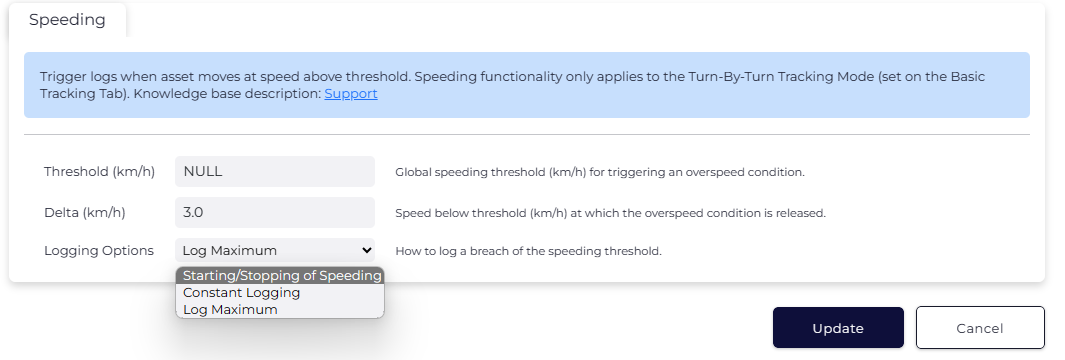
Starting/Stopping of Speeding
When over the threshold, the device will log a record at the Start and End of speeding. This allows for precise speeding durations to be determined server side.
Logs generated for start/end of speeding will use log reason 18 - Over Speed.
Constant Logging
When over the threshold, the device will log a record for every point it records while the speed is above the threshold. This means second-by-second logs when the device is above the threshold.
These logs will use log reason 18 - Over Speed.
Care must be configured when configuring this option, as it will result in additional data usage, and many records being send for processing by the end server if drivers speed for extended periods.
Log Maximum
The device will log Over Speed records (reason 18) - on:
- Start of speeding
- End of speeding
- New maximum speed
So if the threshold is breached, and the speed gradually increases, we will get records with each 1km/h increase. Then if it dips again (but stays above the threshold) there will be no logs until it either exceeds the previous maximum, or speeding ends.
This means we get enough logs to identify the start point, endpoint, duration, and max speed of any speeding event.
Speed Alerts in Telematics Guru
The speed is reported with each log and can be alerted on in TG. We can use the Alert Wizard - Speeding (Once per trip) to setup the Speed Limit alert threshold.

TG has a huge selection of reports and ways to report on speed, see Speed Monitoring in Telematics Guru.
Log based on Speed Change
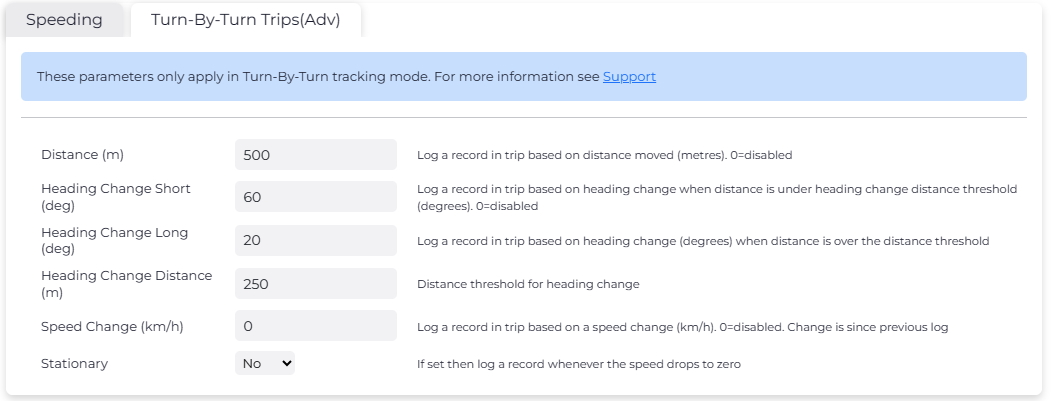
You can set the Speed Change parameter under the Turn-by-Turn Trips parameter tab to record additional logs in trip if the speed changes. This change is since the previous log.