Finding Iridium IMEIs vs Device Serials

Written by Matthew Clark-Massera
Updated at July 21st, 2023
Table of Contents
When an Iridium device is used - the Iridium IMEI is entered against the Asset when creating the asset.
However the main way devices are referred to in Telematics Guru is by their serial.
So we need to have a way to link the DM device serial and the Iridium IMEI.
This can help track down which device may be using a lot of Iridium data so the settings can be adjusted - or the right user can be billed.
There are several ways to obtain a list of Iridium serials for your fleet on Telematics guru.
1. "User Support" Feature
See here for information on this feature, which can be used to search TG via Iridium IMEI - and will return the asset.
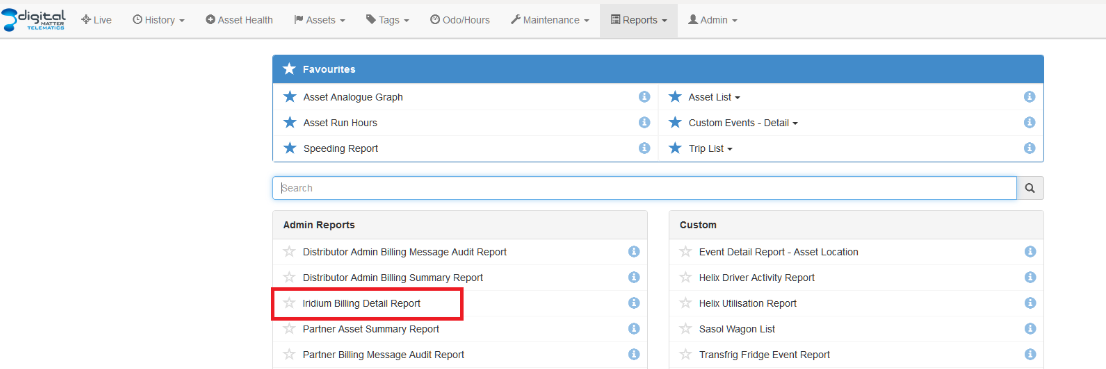
2. Admin Reports - Iridium Asset Detail Report and Iridium Billing Detail Report
Iridium Asset Detail Report
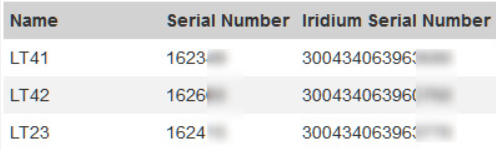
This report will show the below fields:

It will return all assets with Iridium serials across all of the Partner's organisations.
Iridium Billing Detail Report
This report will show a list of devices and their Iridium Data usage (as calculated by TG - which may not be accurate if the device wasn't always pointed at TG but sent data records over Iridium).
Serials are displayed in the left most column.

3. Customise the Asset List Report
When viewing the Asset list report, select Advanced options and customise report.
This report will only show results from a single organisation.
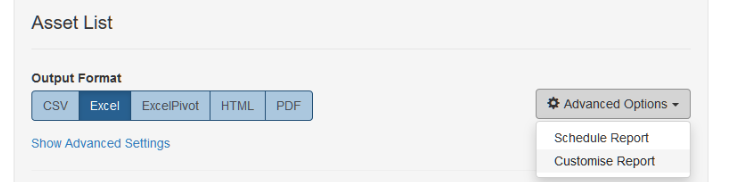
Name your report and then add the following columns to your selection; Name of Asset, Serial number and IMEI Serial
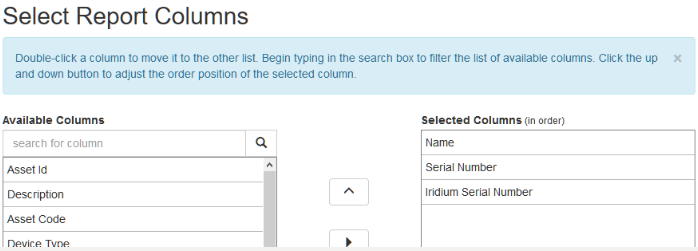
This report will generate a report similar to below: