Changing the Update Rate - [Yabby Edge Cellular]

Written by Matthew Clark-Massera
Updated at August 19th, 2025
The Yabby Edge has different configurable tracking modes to best fit a variety of applications.
Additionally, if an asset is stolen, the unit can be put into Recovery Mode, where the unit will live-track with an increased update rate for a configured time period, to aid in asset recovery.
The below recordings show how to quickly and easily configure the Yabby Edge's update rate.
When adjusting the update rate, we must consider:
- The Application
- Battery Life
- Data Usage
- Location Engine Lookup costs
Default Parameters
Update Rate:
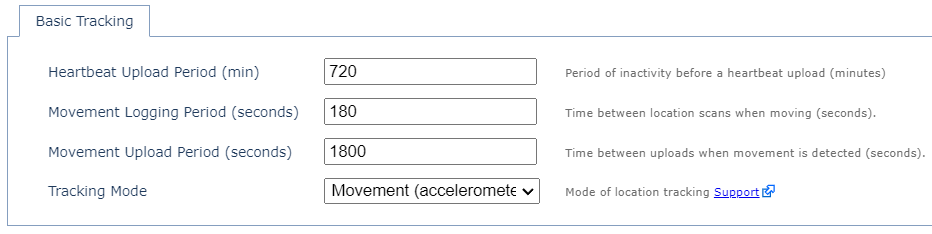
- 12 Hour Heartbeats when stationary
- Trips started/ended based on accelerometer activity
- 3 min GPS fixes recorded during a trip
- Upload every 30 min during a trip
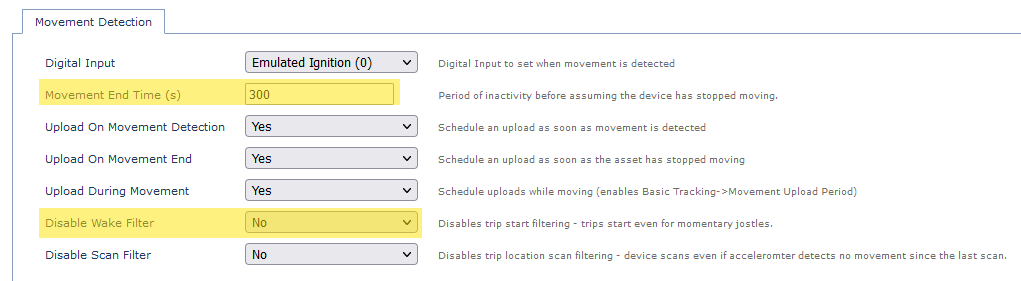
Trip Start/End Parameters:
- The time with no accelerometer activity before a trip is ended can be adjusted via the Movement End Time parameter
- With the Wake Filter enabled (Disable Wake Filter = No as below) - about 4 seconds of accelerometer activity is required to begin a trip. If disabled any event over the accelerometer threshold will begin a trip, making the asset highly sensitive to movement.
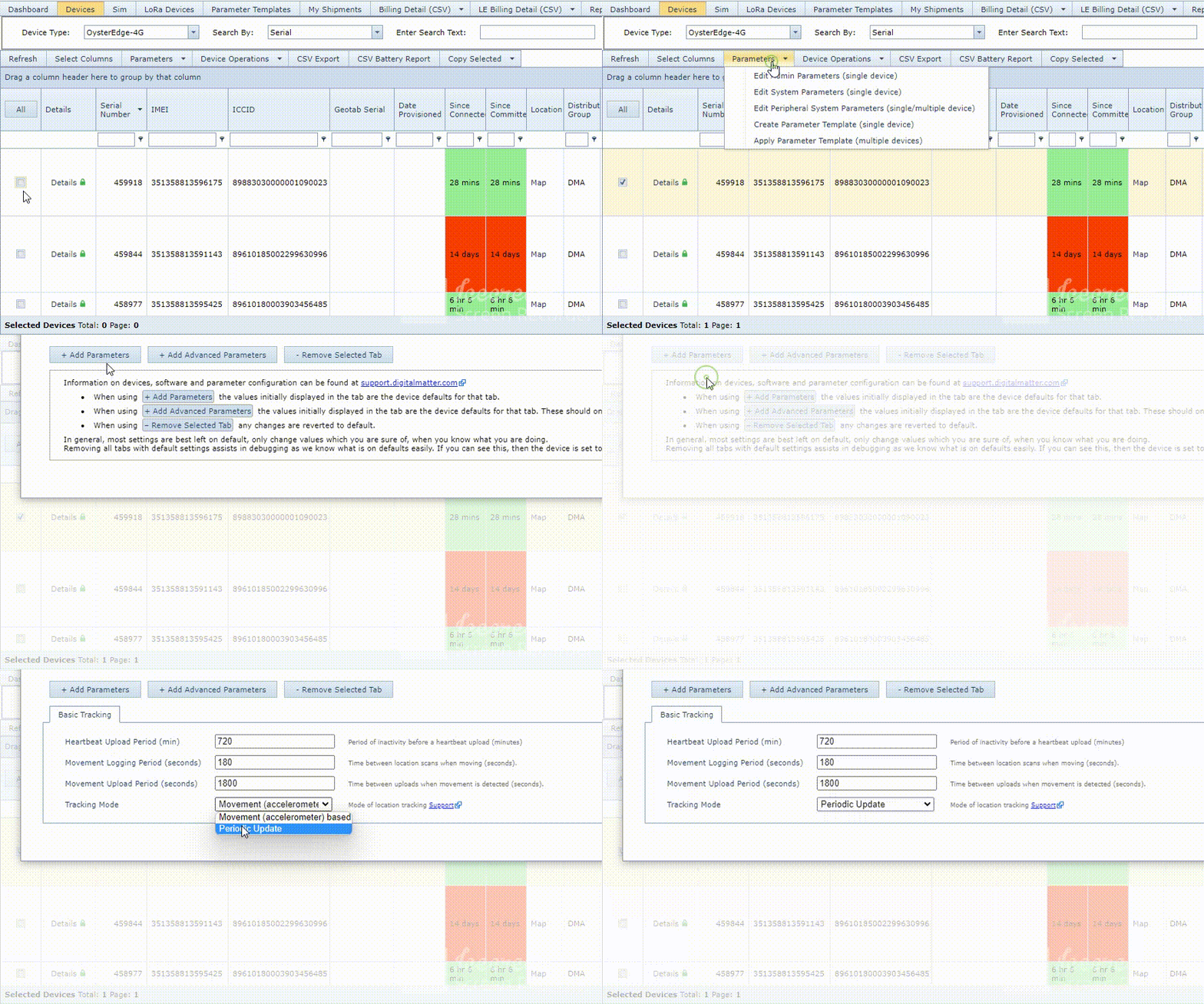
Set Device to Periodic Tracking - 2 x Daily Heartbeat
We simply need to set the Tracking Mode to Periodic Tracking. Default heartbeat is already 2 x Daily. When Periodic Tracking is enabled the In Trip Upload and Logging parameters no longer apply.
Click image to expand
Set Device to Scheduled uploads (i.e. 9am and 3pm daily)
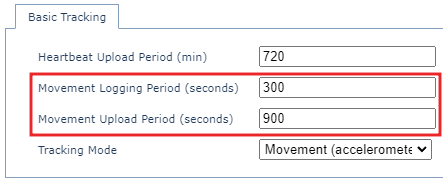
Change Upload Rate to 5 min location scans, 15 min Uploads