G120 & G150 Iridium Data Setup on TG

Written by Matthew Clark-Massera
Updated at December 6th, 2023
Table of Contents
The G120 & G150 can be connected via cable to an Iridium Edge Module. This will provide a 'fallback' connectivity option when out of cellular coverage.
- When in cellular coverage, the G120/G150 operates as normal, recording and uploading regular live tracking data
- Data is uploaded via the cellular network to OEM Server and then passed on to Telematics Guru or a 3rd party tracking platform
- i.e. as per the integration strategies here Choosing an Integration Strategy
- When out of coverage, the G120/G150 will then send a subset of device data, at a reduced reporting rate
- Data is sent via Iridium satellite, and then on to TG or a 3rd party tracking platform
- Detailed data is still recorded to the devices internal memory - and uploaded on returning to coverage
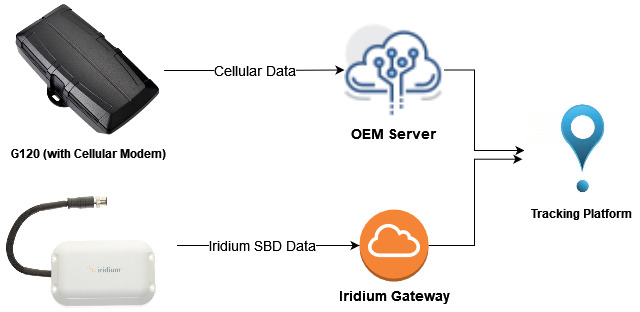
It is important to recognise that there are then 2 independant data streams. The G120/G150 will have a serial number + IMEI, and the Iridium Edge modem an IMEI - which must be linked together in the end tracking platform so that the separate cellular and Iridium data can be associated and displayed against one asset.
Pointing Iridium Data to TG
Some Digital Matter regional branches can provide Iridium data for Telematics Guru users. In this case DM will manage this.
Some resellers may wish to manage their own Iridium data plans (often a better price can be obtained going direct)
Competitive Iridium data plans can be found from KORE or Pivotel.
Data must be pointed to the relevant TG Server's IP address, port 6000 - via Direct IP connection.
If you are not sure what your server is - check the connector set on your devices in OEM Server - this will tell you.
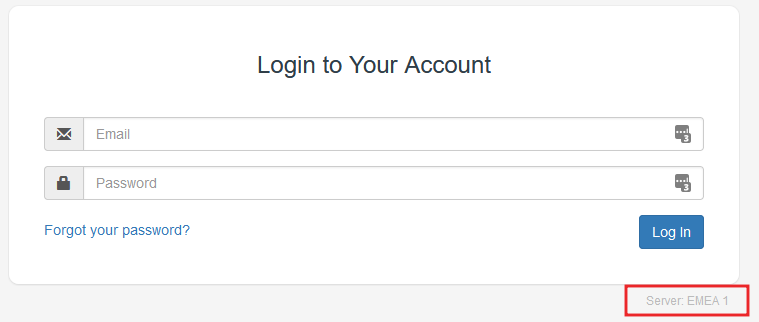
Or it is shown on the TG login screen
| Server | Endpoint |
| APAC01 | 40.82.219.2:6000 |
| APAC02 | 40.82.219.4:6000 |
| APAC03 | 40.82.219.106:6000 |
| APAC04 | 40.82.220.205:6000 |
| APAC05 | 52.237.222.152:6000 |
| APAC06 | 20.53.86.248:6000 |
| AMER01 | 20.185.104.80:6000 |
| AMER02 | 52.191.219.242:6000 |
| EMEA01 | 52.179.86.26:6000 |
| EMEA02 | 40.119.147.99:6000 |
| EMEA03 | 40.119.152.46:6000 |
| EMEA04 | 40.119.153.184:6000 |
