Guppy Tilt - Small Changes from Vertical

Written by Matthew Clark-Massera
Updated at October 30th, 2025
The tilt reporting feature in the Guppy, as of firmware v1.9, is explained in the Guppy Configuration and Usage Guide.
Here are some examples illustrating small changes from vertical/straight up.
This could be useful for checking an electrical box is still mounted correctly on a pole.
Straight up:
Starting in the straight up, or vertical, position. We expect gravity to align well with the negative Y axis.
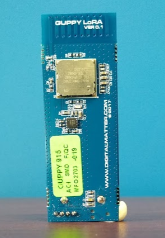
This position resulted in this payload:
8c7fecdb
{
"type": "status",
"inTrip": false,
"batV": 2.98,
"temp": 23.5,
"manDown": false,
"inclinationDeg": 177,
"azimuthDeg": 328.5,
"xyz": {
"downUnit": [
-0.027345,
-0.9986,
0.04462
],
"azimuthDeg": [ left out ],
"inclinationDeg": [ left out ],
}
}
You can see the inclination angle at close to 180 degrees.
The azimuth angle is quite small and insignificant in this position.
Tilt right:
Now a tilt to the right.
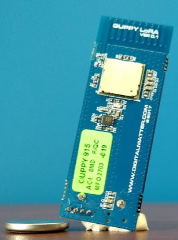
This results in this payload:
8c80e054
Which decodes to:
{
"type": "status",
"inTrip": false,
"batV": 2.98,
"temp": 24,
"manDown": false,
"inclinationDeg": 168,
"azimuthDeg": 126,
"xyz": {
"downUnit": [
0.1682,
-0.9781,
-0.1222
],
"azimuthDeg": [ left out ],
"inclinationDeg": [ left out ],
}
}
Note the inclination angle changes to 168, which is 9 degrees different.
The azimuth angle is more significant in this position, but makes most sense when you consider the x,y,z axis. Note the positive 0.168 on the x axis. Keep that in mind for the next example.
Tilt left:
Now a tilt to the left.
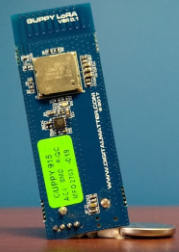
This results in this payload:
8c7fe0ae
Which decodes to:
{
"type": "status",
"inTrip": false,
"batV": 2.98,
"temp": 23.5,
"manDown": false,
"inclinationDeg": 168,
"azimuthDeg": 261,
"xyz": {
"downUnit": [
-0.2054,
-0.9781,
-0.03252
],
"azimuthDeg": [ left out ],
"inclinationDeg": [ left out ],
}
}
Note the inclination angle changes is 168 again. The inclination angle is always 0-180 degrees. In this case we need the azimuth angle to understand which direction the Guppy is leaning.
As in the tilt right, the azimuth angle is significant in this position. Consider the x,y,z axis. Note the negative 0.205 on the x axis. This indicates the lean left, instead of right.
