You are viewing an Archived item in your Knowledge Base, it is not publicly accessible.

    Contact Us

    If you still have questions or prefer to get help directly from an agent, please submit a request.
    We’ll get back to you as soon as possible.

    Please fill out the contact form below and we will reply as soon as possible.

    • Digital Matter Site
    • Contact Us

    Guppy Bluetooth® - Getting Started

    Written by Matthew Clark-Massera

    Updated at April 28th, 2025

      Contact Us

      If you still have questions or prefer to get help directly from an agent, please submit a request.
      We’ll get back to you as soon as possible.

      Contact Support
      • Home
      • Bluetooth® Tags, Sensors and Scanners

      Table of Contents

      Introduction Guppy Bluetooth® Tag In the Box Setting It Up Gateway Bluetooth® Parameters

      Introduction

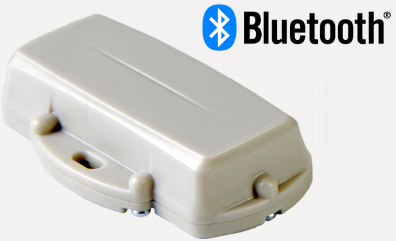
       The Guppy is a compact, rugged Bluetooth® tag perfect for low-cost monitoring of assets. The Guppy Bluetooth® integrates with other Digital Matter devices that support Bluetooth®, or they can be used with your own Bluetooth® mobile applications.

      Guppy Bluetooth® Tag
      Read more about this on our site!

      In the Box 

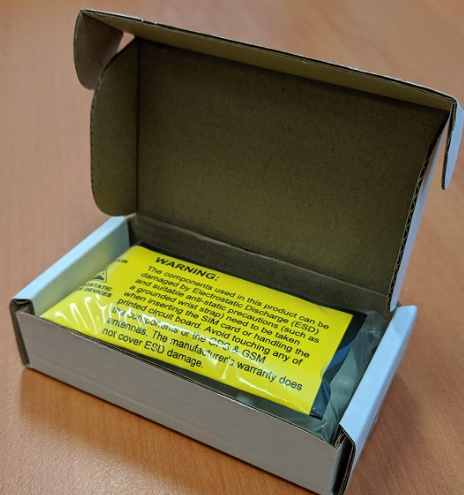
      You will receive a Guppy Bluetooth® tag and a bag of 6 housing screws.
      Setting It Up

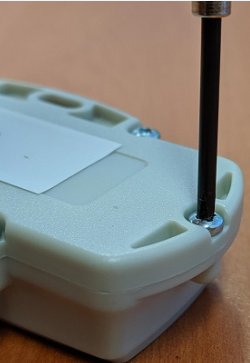
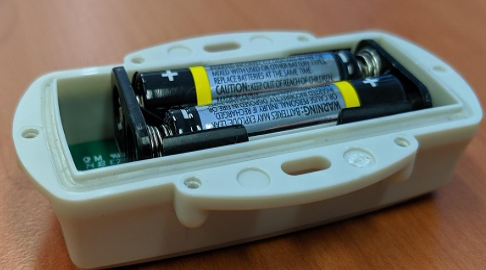
      Simply open the housing and insert 2x AAA batteries, for optimum operation we recommend 1.5V lithium batteries. Then screw down the housing tight enough to seal the Tag.
      Gateway Bluetooth® Parameters

      For System Parameter settings to enable your gateway device to pair with your Guppy Bluetooth® Tag, visit this article.

      guppy setup bluetooth guppies

      Was this article helpful?

      Yes
      No
      Give feedback about this article

      Related Articles

      Subscribe to Partner News

      Subscribe to our mailing list to receive Digital Matter news, product and tehnical updates, and more.

      Subscribe

      Copyright © Digital Matter . All Rights Reserved.

      Privacy Contact Support

      Knowledge Base Software powered by Helpjuice

      DM Logo
      Expand